
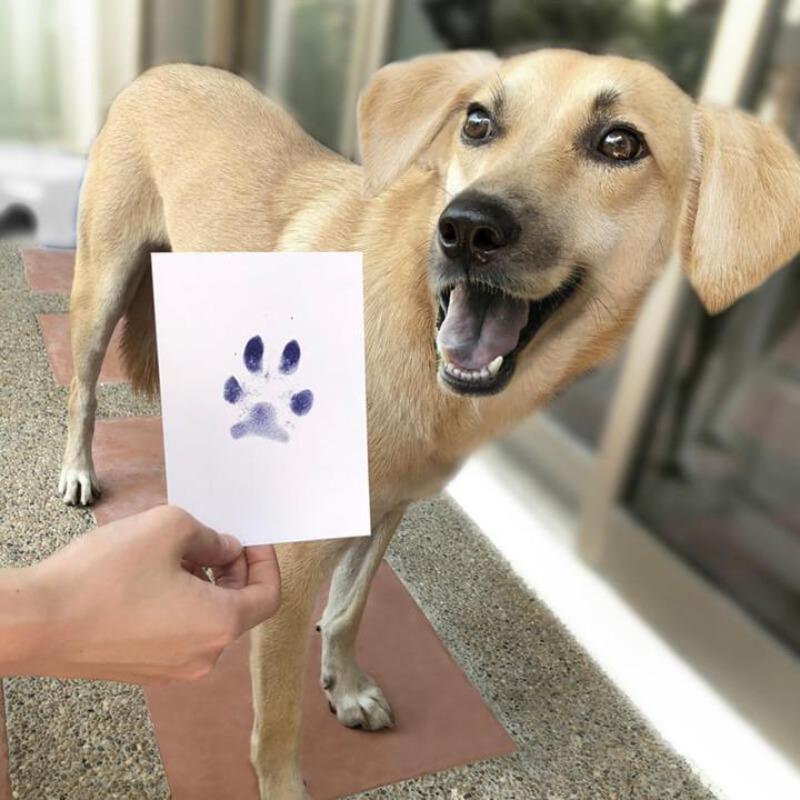
To back up a finished paw print, first wait until the original is ready to handle according to the kit instructions. Then make a clear scan or evenly lit photograph, save an untouched original file and keep another copy in a separate location. A backup gives you something to reproduce or share without repeatedly handling the physical keepsake.
This guide starts after the print has been made. There is no need to ask your pet for another impression just because you want a digital copy.
Prepare the finished print carefully
Place the original on a clean, flat surface and handle it by the edges where possible. Do not press a fresh or tacky impression against scanner glass. Follow the kit's drying instructions rather than choosing a waiting time from appearance alone.
If the original was made with the Paw Print Pad Kit, keep the instructions with your craft records. Do not add a coating or adhesive to prepare it for scanning unless a compatible method is specifically recommended.
Remove loose background objects from the photograph, but do not trim the physical print just to make the first digital version neater. Cropping a copy later is reversible; cutting the original is not.
Choose a scan or a photograph
A scanner can make a flat record if the print is suitable for that handling. Use the scanner's normal document or photo guidance and choose a setting appropriate for how you intend to reproduce the image.
For a phone photograph, keep the camera as square to the paper as you can. Use even light and check that your hand or phone is not casting a shadow over the impression. Take more than one photo and compare the edges and fine details before putting the original away.
Avoid filters that dramatically change the print. Your first saved version should record what is actually on the paper, not an idealized new shape created from it.
Keep an untouched master
Save the clearest file before cropping, adding text or changing contrast. Make a separate copy for edits. A filename such as “Milo-paw-print-2026-09-original” distinguishes the record from later versions for a card or frame.
If you have several pets or multiple prints, name each one immediately. Similar-looking files are harder to identify months later when the original card is already stored away.
Add the date of the impression to your notes if you know it. Do not substitute the date you scanned it without explaining the difference.
Test one reproduction before making many
If you want printed copies, make a small test first. Check that the print has not been stretched and that important edges remain visible. For a life-size keepsake, use a reliable size reference and the printer's actual-size settings rather than assuming a screen preview preserves dimensions.
Keep personal details out of images you share publicly. A pet's name on a keepsake may be welcome; an address or private family information in the background may not be.
Store a second copy and find it again
Keep another copy in a separate backup location you trust, such as your normal backed-up photo library or storage drive. Confirm that the file opens and that you can find it by its name.
Return the physical print to suitable storage or display. A digital backup is an additional record, not a guarantee that the original cannot fade or be damaged.
Once the master and backup are saved, you can make greeting cards or share copies without handling the original every time. The small imperfections belong to the real moment; preserving them is usually more meaningful than editing them away.
Related guide: How to Make a Paw-Print Keepsake: A Calm, Clean Session Guide.